Quality Control Checklist for Televisions From Bangladesh
A numbered QC checklist for televisions from Bangladesh: dimensions and stand fit, panel patterns and pixel checks, tuner, inputs and sound, safety and power evidence, markings, manuals and packing, with fixes for common failures.
Short answer
Use this televisions quality control checklist to check screen size and stand fit, panel defects and backlight on full-screen patterns, tuner, inputs and smart functions, sound, rating labels and safety evidence, power reports, manuals and packing on televisions from Bangladesh before shipment. Agree tolerances, test methods, the pixel defect class and acceptance numbers in the purchase order.

On this page
Key takeaways
Agree the sample, specification, tolerances, test methods, pixel defect class and acceptance numbers before inspection, and draw the sample randomly across sizes, panel lots and cartons.
Power every sampled set and run full-screen patterns, because bright and dark pixel defects, backlight clouding and pressure marks show only on a lit panel.
Check the tuner, language set and software version against the destination market on every sampled set, and confirm the rating label, carton and manual agree.
Treat safety and power as evidence checks: reports must name this model, screen size and lot, under the standard and signals agreed in the purchase order.
If you import televisions, this televisions quality control checklist gives you a practical way to check a shipment before it leaves Bangladesh. A television is judged on the screen: a bright dot, uneven backlight or a rocking stand shows at once. Use an agreed sampling plan rather than sets the factory selects. ISO 2859-1 specifies an acceptance sampling system for inspection by attributes, indexed in terms of the acceptance quality limit (AQL), applicable to end items.1
Why this checklist matters
Televisions concentrate risk in a large, fragile electrical product: the panel decides picture quality, the tuner, inputs and software decide whether the set works in the destination market, and the stand and packing decide whether it arrives safely.
A written checklist removes interpretation. Each point is checked against the approved sample and specification, and recorded as pass, fail or not applicable. Set acceptance numbers per defect class in the purchase order.1 See the AQL acceptance quality limit explainer.
Before you start
Do not begin until the references are complete: an approved sample per size, panel type and market version, the purchase order and specification with rated voltage, frequency and power, resolution, tuner standard and language set, stand details, and the packing specification. Agree the sampling plan in advance,1 and draw the sample randomly across sizes, panel lots and cartons.
Confirm the safety reference before bulk marking is printed. IEC 62368-1:2023 is a product safety standard for audio, video, information and communication technology equipment that classifies energy sources and prescribes safeguards against them, to reduce the likelihood of pain, injury and, in the case of fire, property damage.2 Confirm which edition and national version the destination requires.
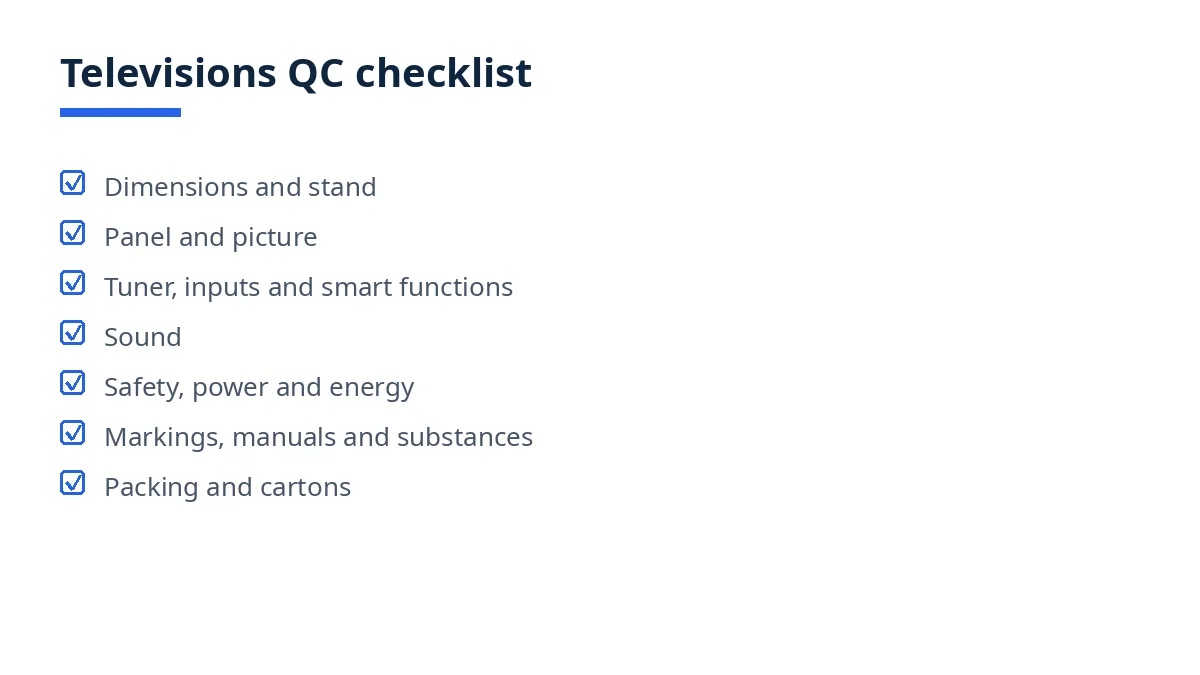
The full checklist (numbered, printable)
Dimensions, stand and components
Confirm each sampled carton contains the television, stand and screws, remote with batteries where named, power cord and manual.
Measure screen diagonal and cabinet width, height and depth on each sampled set, with and without the stand, against the specification, recording actual values.
Fit the stand to each sampled set as the manual directs: screws seat firmly, the set stands level without rocking, and no crack opens at the fixing points.
Check wall-mount fixing points where fitted: thread, spacing and depth match the bracket pattern named in the specification.
Weigh sampled sets where the specification gives a weight, and check panel type, resolution and market version on the carton against the unit.
Panel and picture
Power each sampled set on the destination voltage and run the test patterns named in the plan: full white, black, red, green, blue and a gray scale.
Check on the black pattern for bright pixels, and on the white pattern for dark pixels, recording count and position per set. A bright pixel shows as a white dot on a black screen and a dark pixel as a black dot on a white screen, and ISO 9241 defines classes of pixel defects against which the agreed class is checked.3
Check for clusters of defective pixels close together, which read as one visible fault even where single defects pass.
Check backlight evenness on white and gray patterns: no bright corners, clouding or fixed dark patch.
Check panel and bezel for cracks, chips, scratches, pressure marks and trapped dust, at corners as well as center.
Check color and gray-scale steps for banding and tint shift against the approved sample under the same signal.
Check viewing from the angles named in the specification for a watchable picture with no sudden color reversal.
Tuner, inputs and smart functions
Tune each sampled set to the destination broadcast standard and confirm it finds, stores and recalls the test channels in order.
Check every input named in the specification, such as HDMI, USB and antenna, with a real signal: picture and sound pass, no loose port.
Play a test file from USB where the specification names formats, and confirm picture and sound match the sample.
For smart sets, connect to a local network, open the named applications, and check language, region and time against the destination version.
Check menu language, subtitle and audio options against the market version, and confirm a factory reset returns the agreed first-start state.
Check program guide or teletext functions only where the specification names them.
Sound
Play speech, music and a low tone at low, mid and high volume and listen for rattles, buzzing, distortion and one silent channel.
Check left and right balance by covering each speaker in turn, and confirm stereo stays on the correct side.
Check volume steps, mute and audio outputs named in the specification, including headphone output where fitted.
Check lip sync on broadcast and USB content against the sample, with no delay the viewer can notice.
Safety, power and energy evidence
Check the rating label on each sampled set: model, rated voltage, frequency and power must match the order, carton marking and manual.
Check power cord, plug type and fuse where required against the market version, with no damage or loose pin.
Run each sampled set for a sustained period at normal brightness and check for failed start, shutdown, overheating smell, sparking or a hot spot on the back.
Confirm safety evidence where the order requires it names this model and lot, under the standard agreed for the destination. IEC 62368-1:2023 classifies energy sources and prescribes safeguards against them.2
Review on-mode and standby power evidence where required, and confirm the report names this model, size and lot. IEC 62087-3:2023 specifies the determination of power consumption and related characteristics of television sets, including LCD and OLED sets.4
Confirm the power report uses the named signals. IEC 62087-2:2023 specifies the signals used to determine power consumption of equipment such as television sets, and the signals for peak luminance ratio.5
For sets for the European Union, check the energy label and product information before printing. Regulation (EU) 2019/2021 lays down ecodesign requirements for electronic displays, including televisions, covering energy efficiency, off and standby modes and material efficiency.6
Markings, manuals and substance evidence
Check rating and warning markings are legible, durable to a rub by hand and identical across the sample, including the destination marks named in the order.
Check the manual in each sampled carton: language set, model name, diagrams, stand steps and safety warnings must match this model and destination.
Check on-screen and carton claims, such as resolution, tuner type and smart features, against the specification, and record unsupported claims as failures.
Where the destination restricts substances, check the supplier declaration names this model. Directive 2011/65/EU restricts certain hazardous substances, such as lead, mercury and cadmium, in electrical and electronic equipment.7
Packing and cartons
Confirm each set is packed as directed, screen protected by the named film, corner protectors fitted, and no hard accessory pressing on the panel.
Check that stand parts, remote, batteries where named, cord, manual and warranty card are present in each sampled carton.
Check that barcode, model and size stickers scan and match the purchase order, and that carton markings match the set inside.
Handle sampled cartons as the carrier would, with the stacking and drop checks named in the specification: no crushed corner, split seam or loose contents.
Weigh and measure sample cartons, and check count against the packing list.
Record every failure by set, carton and defect type, photograph it, and hold the unit until disposition is agreed.
Common failures and how to fix them
The most frequent failure is a panel defect found only on a full-screen pattern: a bright sub-pixel on black, a dark patch, or a pressure mark from packing. Stop, run the patterns on a fresh sample from the same panel lot, compare counts against the agreed class, and segregate the lot. Next is a tuner or language mismatch from the wrong market version in bulk: hold those sets, compare the version code on carton, label and software against the order, and reflash or replace before shipment.
A rocking stand usually starts at a short screw or cracked fixing post: refit one set as the manual directs and re-check the group. Sound rattles point to a loose speaker or back cover: open one unit with the supplier and re-check the same assembly period. Crushed corners point to weak packing: repack as specified and repeat the handling checks.
Above the agreed acceptance level, options are re-inspection after sorting or rework, documented partial acceptance, or rejection.
Downloadable template / summary table
Copy the checklist into your inspection sheet, add the acceptance numbers, and record a result per set.
Section | Checks | Evidence |
|---|---|---|
Dimensions and stand | Diagonal, cabinet, stand fit, mount points | Measurements, fit check |
Panel and picture | Patterns, pixels, backlight, color | Pattern log, photos |
Tuner and inputs | Tuning, ports, USB, smart functions | Function log |
Sound | Speakers, balance, outputs, sync | Listening log |
Safety and power | Label, cord, run test, power reports | Reports per model |
Markings and manuals | Marks, manual, claims, substances | Sample comparison |
Packing | Screen protection, kit, cartons | Packing list |
How Exportain helps
Exportain is a B2B marketplace connecting buyers with Bangladeshi suppliers of televisions and other electronics, so these specifications can be agreed at the enquiry stage. Read the companion guide to importing televisions from Bangladesh, browse the electronics, electrical and solar category and suppliers, and use inspection services to plan the check. Supplier profiles show document and photo checks recorded, not factory inspections. Exportain is not a party to the goods contract and does not inspect goods.
FAQs
When should this checklist be used?
Use it at final inspection, when sets are finished and largely packed. For larger and first orders, also use it in production, while panel lots can still be corrected.
Who should complete it?
The buyer, a local agent or an independent inspector can complete it, using the approved sample and specification.
What are the most common failures?
Panel defects, backlight unevenness, wrong tuner version, a rocking stand, sound rattles and crushed cartons are the failures buyers find most often.
Can a third party do it?
Yes, if you share the approved sample, tolerances and acceptance levels first.
Next steps on Exportain
Before production starts, agree your specification, tolerances and marking artwork, then read the guide to importing televisions from Bangladesh and the pre-shipment inspection guide, and plan the check with inspection services, or post a free RFQ via RFQs.
Sources
- ISO 2859-1:1999 - Sampling procedures for inspection by attributes — Part 1: Sampling schemes indexed by acceptance quality limit (AQL) for lot-by-lot inspection. International Organization for Standardization (accessed )
- IEC 62368-1:2023 - Audio/video, information and communication technology equipment - Part 1: Safety requirements. International Electrotechnical Commission, (accessed )
- What if defective pixel is found on your monitor - Policy and Standard, Lenovo Monitors and All-in-One Desktop. Lenovo (accessed )
- IEC 62087-3:2023 - Audio, video, and related equipment - Determination of power consumption - Part 3: Television sets. International Electrotechnical Commission, (accessed )
- IEC 62087-2:2023 - Audio, video, and related equipment - Determination of power consumption - Part 2: Signals and media. CSA Group (accessed )
- Commission Regulation (EU) 2019/2021 of 1 October 2019 laying down ecodesign requirements for electronic displays. legislation.gov.uk (accessed )
- Directive 2011/65/EU - Restriction of the use of certain hazardous substances in electrical and electronic equipment. European Union, (accessed )
- pre-shipment inspection
- quality control
- aql inspection
- Electrical products
- Bangladesh electrical products
- Televisions
About the author
Sourcing from Bangladesh?
Post a request for quotation and suppliers on Exportain can send you their quotes directly.
Post an RFQ